Less time chasing paperwork
One link replaces the back-and-forth over attachments. Customers open it on their phone with no app or password, read your instructions first and upload. A missed page goes on the same link.
Send one secure link per request. Customers upload photos and PDFs from their phone, with no app, account or password. Files, status and the activity log stay together on one private request.

Driver's licenses, insurance cards, pay stubs and signed forms usually arrive as scattered attachments. That slows intake and leaves sensitive files sitting in personal inboxes, phones and chat apps.
One link replaces the back-and-forth over attachments. Customers open it on their phone with no app or password, read your instructions first and upload. A missed page goes on the same link.
Files land on one private request instead of personal inboxes. Links use random tokens that cannot practically be guessed, expire on a set date and can be voided if sent to the wrong person.
The dashboard counts active links, links awaiting upload and links expiring soon. Each request keeps an activity log: created, opened, files received and any void, with who did it.
Your team creates the request and reviews the files. Your customer taps a link and uploads.
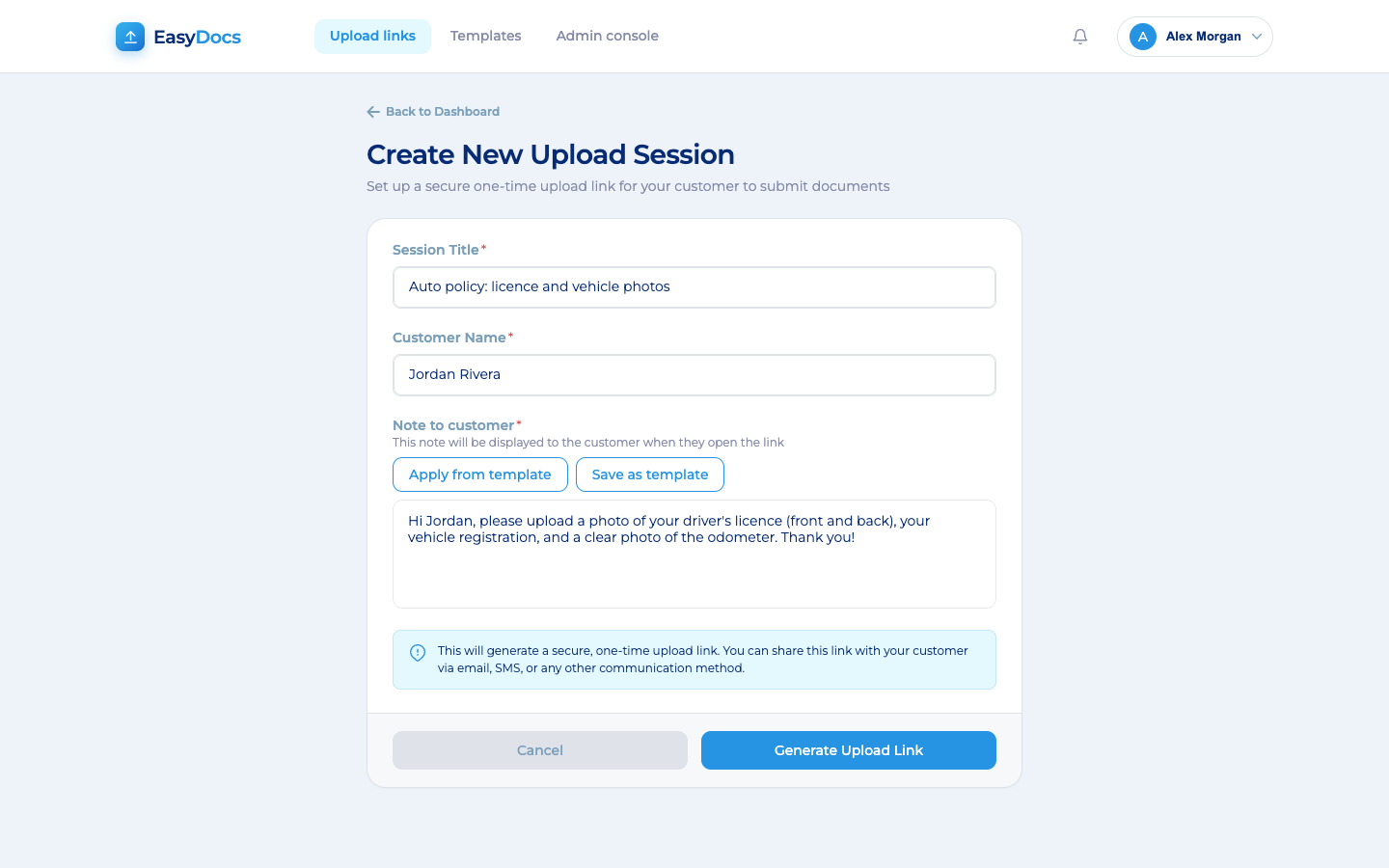
Add a title, the customer's name and a note saying exactly what you need, or start from a saved template. EasyDocs creates a secure link for you to copy.
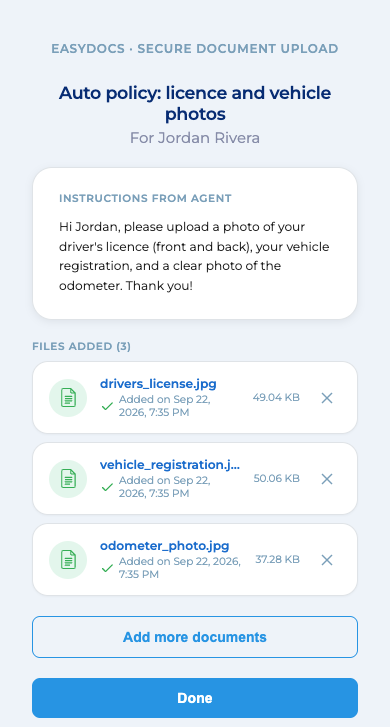
They tap the link and see your instructions first. They take a photo or choose a file, and each one is checked off as it arrives.
Files appear on the request with thumbnails and a preview. The dashboard shows each request's status, and the activity log records when the link was opened and each file received.
Buyers compare these basics across client portals and file request tools. Each one is built into EasyDocs.
Each feature below answers a question your compliance, security or operations lead is likely to ask.
Link sent to the wrong person? Void it. Whoever opens it next sees only that the link is no longer active: no name and no request details.
Why it mattersShut off a misdirected link in seconds, with a record of who acted.
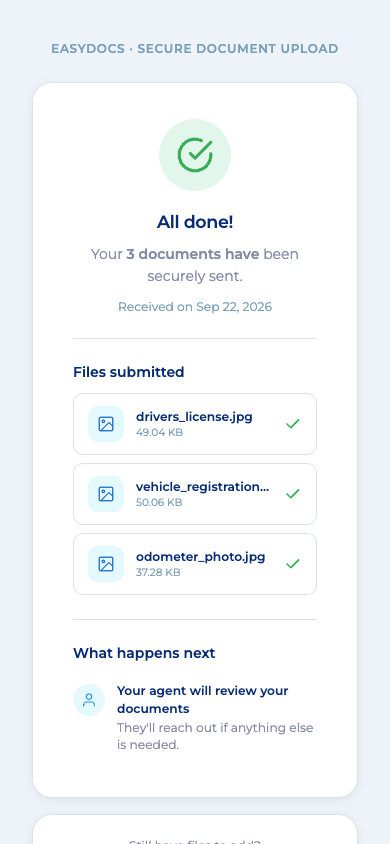
Reopening the link shows the customer the file names, sizes and arrival times. They cannot open or download any of it. Only the requester and admins can.
Why it mattersCustomers confirm delivery without calling your team. The link cannot retrieve files.
Storage is closed to public access, so no file sits behind a public link. Files come out only through the application, after an access check.
Why it mattersEvery download is checked against who is allowed to see the file.
Customers never get accounts, so there are no customer passwords to store, reset or leak. The link is the only way in, and it expires on a set date.
Why it mattersFewer credentials for your security team to protect and review.
Only the requester and admins see the files. Signed-in staff are blocked from the customer upload page, so each side sees only its own view.
Why it mattersA smaller circle of people with access to each customer file.
With EasyEngage, staff click Request documents in a customer's text thread. A card shows the status, with Open in EasyDocs and Download all (.zip). Staff without EasyDocs accounts are blocked and logged.
Why it mattersYour team requests, tracks and downloads documents without leaving the text thread.
How EasyDocs protects IDs, pay stubs and insurance cards, from the link your customer opens to the file your team downloads.
We walk your security and compliance team through these controls during the evaluation.
Replace emailed statements, screenshots and tax forms with a tracked link per request. Files stay private to the team member who sent it and authorized admins by default.
Agents text a link, and customers send driver's licenses, ID cards and photos of each side of the car.
Patients send what the front desk needs from their phone before the visit. Files skip staff inboxes. Built to PII data management and HIPAA standards.
New hires send IDs and onboarding documents from their phone through one secure link instead of email attachments.
Only the link. It opens in their phone browser with no app, account or password. Your instructions appear first. They take a photo or choose files: PDFs and common image formats, up to 20 MB each.
By default, only the team member who sent the request and authorized admins. Customers can see the names of files they sent, but they can never open or download them.
Void it. The link stops working at once, and anyone who opens it sees nothing about who it was for or what was asked. The void is recorded in the activity log with the name of the person who did it, and it cannot be undone.
Each request shows the date its link expires. When it expires, the link stops working by itself. The team member who sent it gets an email 24 hours before, in time to follow up. Until then, the customer can keep adding files on the same link.
HTTPS with TLS in transit and AES-256 at rest in Azure Blob Storage. EasyDocs is hosted on Microsoft Azure behind Cloudflare DDoS protection. Files are reachable only through the application after an access check. The platform is built to PII data management and HIPAA standards.
Your team pastes the link into the email, text or chat tool you use today, so the request comes from a sender the customer already knows. Staff download files one at a time or all at once and file them in your system of record. With EasyEngage, they can request documents from inside a text conversation.
We walk your security and compliance team through link security, encryption, hosting, staff sign-in, access control, logging and file retention during the evaluation.
Book a short demo. We will send you a real request to try, then walk your team through the dashboard, the activity log and the controls.
We will be in touch within one business day to set up your EasyDocs demo.